Australian Dollars
Projectors
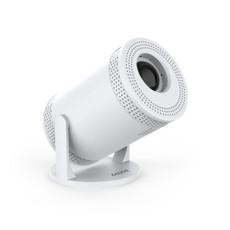
Laser projectors offer a value-friendly way to create a big-screen experience for bedrooms, lounge rooms, movie nights, casual gaming and outdoor setups after dark. Choose from current smart, portable, multi-angle and gaming-focused models, plus selected projector bundles that include a screen.
Features, connections, apps, power requirements and included accessories vary by model. The available range also changes over time, so always check the current product page before purchasing.
Not sure which projector suits your setup?
Compare projector options for bedrooms, movie nights, smart viewing, casual gaming and outdoor setups. Our guide explains native resolution, room lighting, screens, connections, apps and power requirements.
Read the Projector Buying GuideOverview
Compare projector types and features
About Laser projectors
Laser projectors are designed for accessible, easy-to-enjoy big-screen entertainment without premium home cinema pricing. The range includes different combinations of native resolution, smart functions, flexible placement, gaming content and screen bundles.
Choose by setup
- Bedrooms and smaller rooms: Consider available wall space, projection distance, room lighting and where the projector can be positioned.
- Movie nights: Look for the native resolution you prefer, the connections required by your source device and whether a projection screen is included.
- Smart viewing: Selected models include smart functions or built-in apps. App availability, compatibility and access requirements vary by model and may change over time.
- Flexible placement: Selected multi-angle models can make it easier to direct the image towards a wall or ceiling. Check the product page for supported positioning.
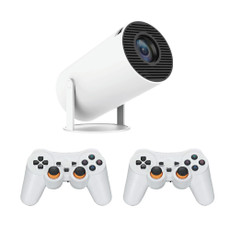
- Casual gaming: Selected gaming-focused projectors include games and controllers. They are intended for accessible entertainment rather than competitive gaming performance.
- Outdoor movie nights: Selected models and bundles can be set up outdoors after dusk. Use them only in suitable dry and calm conditions. Projectors, screens, power supplies and connected accessories are not weatherproof unless the specific product page states otherwise.
Resolution and room lighting
Native 720p can suit casual viewing, while native 1080p provides more image detail for movies, games and text. A projector accepting a 1080p input does not necessarily mean it displays a native 1080p image. For the clearest result, reduce ambient light and check the native resolution stated on the product page.
Connections, apps and power
Connections vary across the range. Depending on the model, these may include HDMI, USB, Bluetooth, Wi-Fi, audio outputs or smart functions. The purpose of a USB-C port also varies and may be limited to power on some models. Portable describes the size and design of a projector and does not automatically mean it has a rechargeable battery.
Screens and sound
A smooth, light-coloured wall may work for casual viewing. A projection screen provides a more consistent surface, and selected Laser projector bundles include a cloth, foldable or inflatable screen. Some models have built-in speakers, while selected models support compatible external audio connections. Check the individual product page for exact inclusions and connections.
Buying tips
- Choose the room or outdoor setup before comparing specifications.
- Check native resolution rather than supported input resolution alone.
- Confirm the required projection distance and expected image size.
- Check whether your source device connects through HDMI, wireless casting or built-in apps.
- Confirm whether a screen, controllers, stand or other accessories are included.
- Check the power source and do not assume a portable projector includes a battery.
Popular setup types
Current Laser projector options cover simple bedroom viewing, family movie nights, smart streaming, flexible multi-angle placement, casual gaming and outdoor cinema-style setups. Available models and bundles may change as products enter or leave the range.
Explore related guides and accessories
Projector FAQs
How do I choose the right Laser projector?
Start with where you will use it, the lighting conditions, the available projection distance and what you want to watch or play. Then compare native resolution, smart functions, connections, power requirements and included accessories. The Laser Projector Buying Guide provides a fuller comparison.
Should I choose a native 720p or native 1080p projector?
Native 720p can suit casual viewing and value-focused setups. Native 1080p provides more image detail and may be preferable for movies, games and text. Check the native display resolution because supported input resolution and native resolution are not the same thing.
Can I use a Laser projector outdoors?
Selected Laser projectors and bundles can be used for outdoor movie nights after dusk. Set up in suitable dry and calm conditions near a safe power source. Do not expose the projector, screen, power supply or connected accessories to rain, moisture or extreme heat. Outdoor use does not mean weatherproof use.
Can I stream Netflix or YouTube on a Laser projector?
Selected models include smart functions or built-in apps. Other models may require a compatible streaming device connected through HDMI. App availability, compatibility, subscriptions and internet requirements vary, so check the current product page before purchasing.
Do I need a separate projector screen?
Not necessarily. A smooth, light-coloured wall may be suitable for casual viewing, but a projection screen provides a more consistent surface. Selected Laser projector bundles include a screen, while other models require a wall or separately purchased screen.
Does a portable projector have a rechargeable battery?
Not automatically. Portable generally describes the size and ease of moving the projector. Power may come from standard AC, DC, USB-C or a rechargeable battery, depending on the model. Check the individual product page and use the supplied or approved power source.
Sub Categories