Australian Dollars
Security Cameras

Security Cameras for Home and Outdoors - Easy Setup
Overview
About
Security cameras help you see what is happening around your home without being there at the time. Whether you want to check a front door, driveway, side access, garage, backyard, or a shared indoor space, the right camera setup gives you quick visibility and practical alerts so you can decide what to do next.
This Baseus Security Cameras sub-category on Laserco focuses on straightforward home monitoring for real life use. The goal is simple - place a camera where it matters, get useful notifications, and make it easy to check live view or review activity when needed. If you are starting from scratch, most homes get the biggest benefit from covering an entry point first, then expanding to other zones only where it improves everyday awareness.
Range
Most shoppers land here with a clear outcome in mind. Use the camera type that matches where it will be installed and what you want to monitor day to day.
- Outdoor monitoring - best for driveways, front doors, side access, garages and backyards where you want visibility around your property perimeter.
- Entry coverage - ideal for deliveries, visitors, and general movement at doors or gates.
- Indoor monitoring - helpful for checking a hallway, living area, nursery, pets, or activity in shared spaces while you are in another room.
- Multi-zone setups - useful when one camera cannot realistically cover everything, especially if you have multiple entry points.
As this range expands, the best approach is to match products to common zones: front entry, driveway, side access, garage, backyard, and an optional indoor check-in area.
Technology
When comparing security cameras, focus on the few factors that determine daily experience. These are the practical “make or break” details that affect how useful the camera feels once installed.
- Video clarity - clearer footage helps you confirm faces, movement and general detail, especially in outdoor zones where distance matters.
- Low-light performance - night monitoring is only useful if the camera can capture usable detail in the lighting conditions where it will be installed.
- Motion alerts - notifications should help you decide whether to ignore, check, or act. Placement and settings matter as much as the camera itself.
- Two-way audio - useful for speaking to visitors or deliveries when you are not near the door.
- Storage approach - some households prefer local storage, others prefer cloud, and some use a mix. Choose based on how often you review history and how you prefer to manage access.
- Power and placement reality - the best camera is the one you can install neatly where it needs to go, with power that suits that location.
For specific features such as resolution, app control, storage type, and included accessories, rely on what is confirmed on the live product page and specifications.
Buying Tips
Use this checklist to avoid the common “right camera, wrong spot” problem.
- Start with placement - choose the exact location first (front door corner, garage beam, under an eave, inside a window). Placement drives viewing angle, power needs, and mounting.
- Prioritise entry points - most households see the biggest immediate value from front entry coverage, then expand to side access or garage zones.
- Plan your camera zones - one camera rarely covers multiple areas well. Two targeted cameras often beat one awkward “do it all” position.
- Reduce noisy alerts - avoid pointing at busy backgrounds like public footpaths, moving trees, or reflective surfaces. Fine-tune sensitivity and zones once installed.
- Think about Wi-Fi coverage - if your signal is weak at the far edge of the house, improving coverage can improve camera reliability dramatically.
- Indoor comfort and privacy - position indoor cameras with household comfort in mind and aim cameras at your own property.
Popular Picks
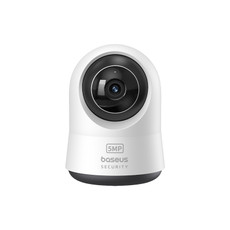
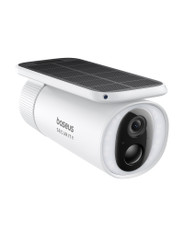
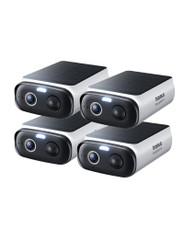
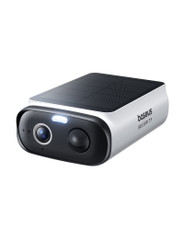
Baseus Security S2 Outdoor Camera 4K - a practical starting point for outdoor zones such as driveways, front entries, garages, and backyard coverage. Review the live product page for confirmed setup requirements, storage options, and included accessories.
Internal Link Map
Mini-FAQs
What is the difference between an indoor and outdoor security camera?
Do I need more than one security camera for a typical home?
How do I choose the best place to install a camera?
How do I avoid too many motion alerts?
Where can I get help with setup and troubleshooting?
Still have questions? Browse support articles and FAQs here: Laser Help and Support
Sub Categories