Australian Dollars
Smart Home and Security
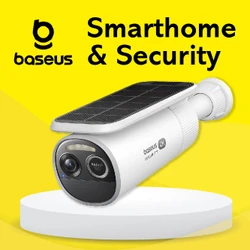
Smart Home and Security for Home Monitoring
Overview
About
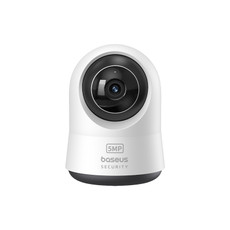
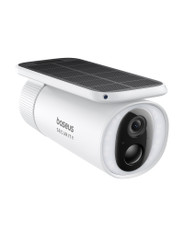
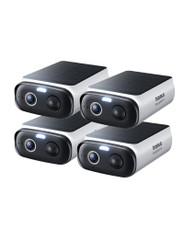
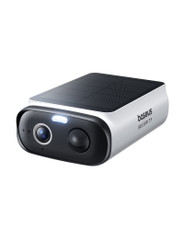
Baseus Smart Home and Security is for people who want more visibility around their home without turning setup into a complex project. It focuses on everyday outcomes - knowing when someone is at the door, getting an alert when something changes, and being able to check what is happening when you are not in the room.
At Laser, Baseus products are supported locally through Laser’s existing support and warranty processes. That means you can shop with straightforward Australian after-sales support, including setup and troubleshooting resources where available.
Range
Smart home and security is a broad category, but most shoppers land here with a clear goal: awareness, deterrence, or convenience. As Baseus products are added, this category will cover practical device types such as security cameras and related home monitoring accessories.
- Home monitoring - devices designed to help you check key areas like entry points, driveways, garages, hallways, and shared spaces.
- Motion and activity alerts - options that help you notice movement or changes when you are asleep, busy, or away.
- Everyday security routines - simple workflows like checking deliveries, monitoring a side gate, or keeping an eye on a garage area.
Technology
Security devices only feel useful when they are reliable in real life. When comparing options, focus on the practical factors that change daily use rather than long feature lists.
- Alert quality - clear notifications help you decide whether to ignore, check, or act.
- Placement reality - plan where the device will sit first (front door, driveway, garage) and shop for products that suit that placement.
- Privacy control - consider when monitoring should be active or paused, especially in shared households.
- Storage approach - decide whether you prefer local storage, cloud storage, or a mix based on how often you need to review activity.
- Network stability - weak Wi-Fi near entry points is a common cause of poor experience, so coverage matters.
Buying Tips
Most decisions in this category come down to three things: what you want to monitor, how you want to be notified, and how much complexity you are willing to tolerate.
- Start with the highest value area - most homes benefit most from monitoring entry points first, then expanding coverage later.
- Renters and apartments - prioritise solutions that are straightforward to set up and remove later.
- Family homes - plan notifications around the times you want extra awareness (school pickup windows, late evenings, weekend visitors).
- Pets at home - choose placements and settings that reduce constant triggers from normal pet movement.
- Shared households - decide who receives alerts so they are useful rather than duplicated.
- Define success - “know when a delivery arrived” is a different purchase decision than “monitor a side gate at night”.
If you are unsure, start small with a single use case, confirm it fits your routine, then expand coverage only where it genuinely helps.
Popular Picks
Start with one camera covering the highest-value area (usually an entry point or driveway). Once you are happy with alerts and day-to-day reliability, add coverage only where it improves outcomes.
Internal Link Map
Mini-FAQs
What is the difference between smart home and home security?
Do I need Wi-Fi for smart home and security devices?
Are smart security devices suitable for renters?
How do I avoid too many motion alerts?
Where do I find manuals and troubleshooting steps?
Still have questions? Browse all FAQs here.
Sub Categories